
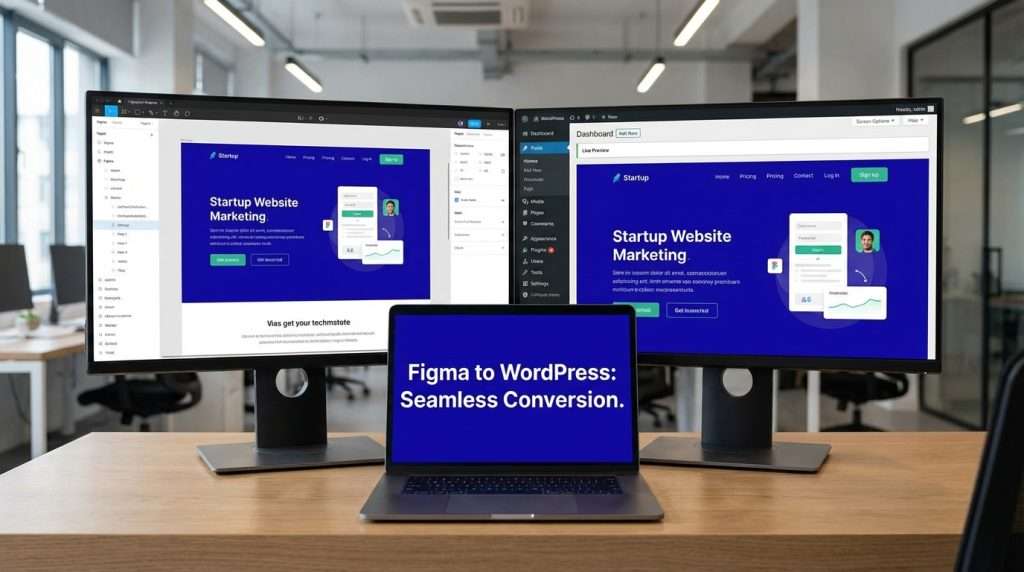
Your business invested real money into a Figma design. The layout is considered, the brand identity is sharp, and the user journey has been mapped intentionally. Now the question every serious founder, e-commerce brand, and startup faces is this: will the final website actually match that design — or will it be a diluted version that cost twice as much time as it should have?
This is the problem that separates high-quality web development from average work. And WordPress — specifically when built on the Hello Elementor theme with Elementor’s Flexbox system — is the platform that bridges that gap reliably, professionally, and at a cost that makes sense for growth-stage businesses.
This guide is written for decision-makers: startup founders allocating development budgets, e-commerce brands evaluating agency partners, and diaspora entrepreneurs building for markets at home and abroad. By the end, you will know exactly what the right process looks like, what questions to ask any developer, and what to demand from your hosting infrastructure.
Who This Is For: Funded startups, e-commerce businesses, and international clients who want a Figma design converted to a fast, conversion-optimised, professional WordPress website — not a template dressed up to look custom.
The Business Case for WordPress: Why High-Value Projects Still Choose It
There is a conversation that happens in almost every high-budget web project. Someone at the table questions whether WordPress is the right choice — whether it is modern enough, scalable enough, or secure enough for a serious brand. The answer, when the question is examined honestly, is consistent:
WordPress is the platform behind The New Yorker, BBC America, TechCrunch, Sony Music, and thousands of seven-figure e-commerce brands. It is not a beginner’s tool. It is an enterprise-capable platform that has been chosen by sophisticated organisations precisely because of its flexibility, ecosystem maturity, and the control it returns to the business rather than locking it inside a third-party product.
For startups and e-commerce brands specifically, WordPress offers three advantages that proprietary platforms cannot fully replicate: complete ownership of your codebase and data, an ecosystem of development talent that can be hired globally, and the ability to extend functionality without platform permission or additional licensing fees.
The key insight for business owners: WordPress does not limit your design ambitions. The wrong theme and the wrong developer do. Chosen correctly, WordPress gives you more creative and technical freedom than most alternatives at any price point.
Why Ready-Made Themes Are Costing Your Brand More Than You Think
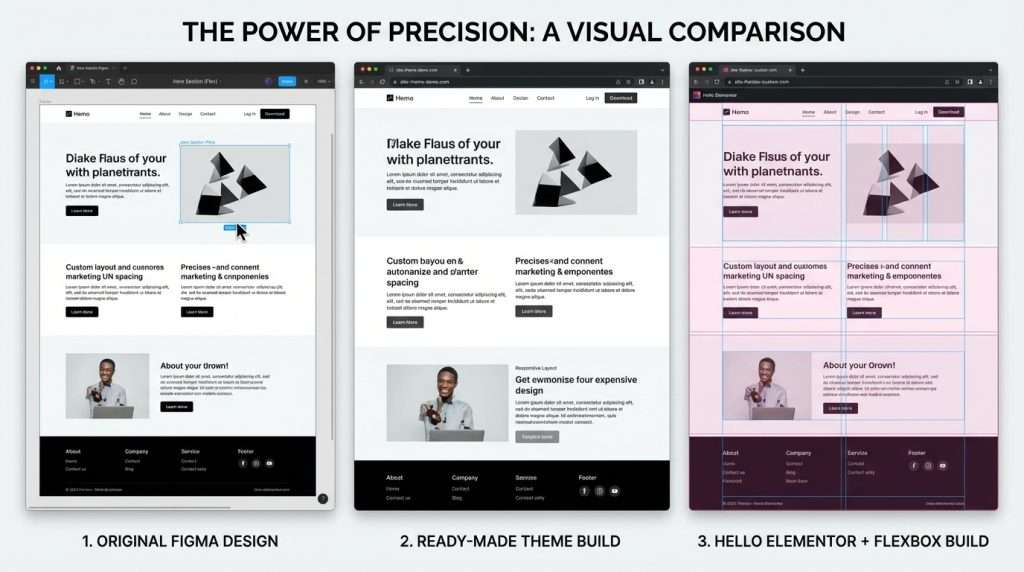
Every week, businesses approve a Figma design and then watch it get systematically compromised by a developer who tried to fit it into a pre-built WordPress theme. The sections do not quite match. The fonts are slightly different. The spacing feels off. The mobile experience bears little resemblance to the approved prototype.
This is not just an aesthetic problem — it is a conversion problem. Inconsistency between your brand design and your live website erodes trust. Visitors notice when a site feels slightly off, even if they cannot articulate why. That friction reduces enquiries, reduces purchases, and reduces the ROI of every marketing pound or naira you spend driving traffic to the site.
What Ready-Made Themes Restrict That Directly Affects Your Conversions
- Hero section precision — your carefully designed above-the-fold layout gets forced into the theme’s fixed container structure
- Typography control — theme-level font rules override your brand typeface, affecting perceived quality and brand recognition
- Header and navigation design — one of the highest-impact conversion elements, yet among the most restricted in pre-built themes
- CTA placement and spacing — themes impose margins and padding that shift buttons and conversion elements away from their optimised Figma positions
- Mobile layout accuracy — pre-built themes apply generic mobile breakpoints that rarely match the mobile frames your Figma designer intentionally specified
- Page speed — many popular ready-made themes load 15 to 30 unnecessary CSS and JavaScript files even on pages that do not use those features
The solution is not a better ready-made theme. The solution is no pre-made theme at all.
Hello Elementor + Flexbox: The Professional Standard for Figma-to-WordPress Development
The Hello Elementor theme is the official theme built by Elementor’s own team. It ships with zero pre-built styles — no default colour schemes, no layout assumptions, no inherited CSS that conflicts with your design system. For a developer converting a Figma design, this is not a minor advantage. It is the difference between building on solid ground and building on shifting sand.
Flexbox: Why It Is the Skill That Defines Your Developer’s Capability
Flexbox is a CSS layout system that controls how elements are positioned, spaced, and aligned inside a container. It is also the underlying engine behind Figma’s Auto Layout feature — the tool designers use to build structured, responsive components.
This shared language is the breakthrough that makes accurate Figma-to-WordPress development achievable. A developer who understands Flexbox can read a Figma component’s Auto Layout settings and translate them directly into Elementor’s Flexbox Container configuration — without guesswork, without approximation, without iterative trial and error that runs up your project timeline and cost.
Client checklist: When evaluating a WordPress developer for your Figma project, ask them to explain how they use Flexbox Containers in Elementor. A developer who can answer this clearly without hesitation understands the craft at a level that protects your design investment.
The Flexbox Advantage for E-Commerce Brands
For e-commerce businesses specifically, Flexbox in Elementor unlocks precise control over product grids, promotional banners, cart and checkout layout elements, and category page structures. These are the pages where conversion rates are determined — and where pixel-level design accuracy translates directly into revenue.
A product card that is 8 pixels lower than your Figma design is a minor aesthetic imperfection. A checkout button that is misaligned from its designed position on mobile is a conversion leak. Flexbox closes that gap.
Animation, Performance, and the Conversion Cost Your Figma Designer May Not Have Considered
Sophisticated Figma designs often include animations scroll-triggered reveals, element entrance effects, parallax backgrounds, hover transitions. These interactions look exceptional in prototype presentations. They are also among the most common causes of poor website performance when translated to a live site without discipline.
The data on this is not ambiguous. Google’s Core Web Vitals standards define performance thresholds that directly influence search ranking. A site with excessive animation loading multiple JavaScript libraries can see its Largest Contentful Paint score climb beyond 5 seconds more than double Google’s recommended threshold of 2.5 seconds.
The commercial reality: A 1-second delay in page load time reduces conversions by approximately 7% and reduces page views by 11%, according to widely cited industry data. For a startup or e-commerce brand spending on traffic acquisition, slow load times silently drain marketing ROI every single day.
How to Handle Animations Professionally on Client Projects
The professional approach — for developers, and the correct expectation for clients — is animation with strategic restraint. This means:
- Identify 2 to 3 key moments in the user journey where animation genuinely reinforces a message or action (hero entrance, a key CTA reveal, a testimonial transition)
- Every other animation in the design should be evaluated as optional — present in the prototype, negotiable for the live site
- Use Elementor’s native entrance animations rather than heavy third-party libraries wherever possible — they are lighter and integrate without additional JavaScript overhead
- Never combine parallax scrolling, background video, multiple scroll-trigger animations, and hover effects on the same page — each adds rendering cost that compounds
- Always test animation choices on a mobile device using a standard mid-range phone — not a designer’s MacBook Pro — before client review
For funded startups and e-commerce brands: build performance requirements into your project brief from the outset. Specify that your site must achieve a Google PageSpeed score of 85 or above on mobile. This single requirement forces every design and animation decision to be made with commercial intent.
Here is the conversation that separates serious business owners from those who learn this lesson the expensive way: hosting is not a technical decision. It is a revenue decision.
Every millisecond of load time costs you money. Every minute of downtime costs you customers. Every security vulnerability on an unmanaged server costs you trust — and in regulated industries, it may cost you compliance. The hosting provider you choose is directly correlated with the commercial performance of your website.
The Shared Hosting Trap That Limits Startups and E-Commerce Brands
Shared hosting places your website on a server alongside potentially thousands of other sites. Your available CPU, memory, and bandwidth are shared — meaning another site’s traffic spike directly degrades your performance. You have no isolation, no prioritisation, and no recourse.
For a startup using its website as a sales tool, or an e-commerce brand running paid traffic to landing pages, shared hosting is a false economy. The monthly savings are cancelled by the conversion loss from slower load times and the risk cost of any downtime during a campaign.
Hosting Performance Comparison
|
Feature |
Shared Hosting |
Managed WordPress Hosting |
|
Page Load Speed |
2-8+ seconds |
0.8-2.5 seconds |
|
Uptime Guarantee |
99.0% (87.6 hrs downtime/yr) |
99.9% (8.7 hrs downtime/yr) |
|
Server-Level Caching |
None |
Included |
|
CDN Included |
Rarely |
Standard |
|
Staging Environment |
No |
Yes |
|
Daily Backups |
Often manual |
Automatic |
|
WordPress Support |
Generic support |
WordPress specialists |
|
Suitable For |
Low-traffic blogs |
Startups, e-commerce, brands |
What Premium Hosting Delivers That Directly Impacts Your Bottom Line
- Server-level caching (LiteSpeed / Nginx with Redis) — serves pages faster than any WordPress plugin alone can achieve
- NVMe SSD storage — significantly faster read/write than standard SSD, reducing database query times on dynamic pages
- Global CDN included as standard — serves assets from the nearest geographic node to each visitor, critical for international businesses and diaspora brands serving multiple markets
- Staging environments — update your site, test functionality, and validate design changes before any risk to the live site
- Automatic daily backups with one-click restore — insurance that allows rapid recovery without depending on developer availability
- PHP 8.1 or higher — modern WordPress and Elementor perform measurably better on current PHP versions
Managed WordPress hosting providers that meet the standard for serious commercial projects include Kinsta, WP Engine, SiteGround (Business plan minimum), and Cloudways. Budget for this investment alongside your development cost — not as an afterthought.
What High-Paying Clients Should Demand From Any Figma-to-WordPress Developer
If you are commissioning a WordPress development project from a Figma design — whether as a funded startup, an e-commerce brand, or an international business — the following are non-negotiable standards worth demanding from any developer or agency you consider:
- They must demonstrate familiarity with Elementor’s Flexbox Container system, not the legacy Section/Column layout. Ask them to show a project built with Flex Containers. If they cannot, they are working with an outdated approach.
- They must begin from the Hello Elementor theme or an equally lean foundation — not a premium theme or template. Any developer who insists on using a pre-built theme for a custom Figma project is prioritising their convenience over your design accuracy.
- They must configure Elementor’s Global Colours and Fonts from your design system before writing a single section. This demonstrates professional discipline. Developers who skip this step produce inconsistent designs.
- They must have a clearly articulated performance optimisation process — including image compression, caching strategy, CDN setup, and PageSpeed testing. Ask what score they target before handover. Anything below 85 on mobile should prompt a follow-up question.
- They must have experience building mobile-responsive layouts that are designed intentionally for mobile — not just desktop designs scaled down. Ask to see their mobile breakpoint process.
- They must be honest about animation limitations and proactively discuss which animations are achievable without compromising performance. A developer who agrees to implement every animation in the Figma file without discussion does not understand performance.
- They must provide a staging environment for review before the live site launch. Any serious development process includes a review cycle on a staging URL — not live edits on the production domain.
For business owners and startups overseeing a Figma-to-WordPress project, understanding the professional workflow helps you ask the right questions, set the right milestones, and evaluate progress accurately.
Phase 1 — Design Audit and Technical Specification
Before development begins, the Figma file and the performance brief must be aligned. This means identifying every animation, every custom interaction, and every non-standard element in the design, then categorising each as essential, optional, or out of scope for the live site. This conversation — held before development, not during — prevents budget overruns and expectation gaps.
Phase 2 — Environment Setup and Global Design System
WordPress installation on the chosen hosting, Hello Elementor theme activation, and Elementor global configuration. Every colour, font, spacing unit, and container width is set from the Figma design system before any page content is built. This is the foundation phase — shortcuts here create compounding problems across every subsequent page.
Phase 3 — Section-by-Section Build With Flexbox
Development proceeds top to bottom: header, hero, section by section. Every build decision is cross-referenced against Figma Dev Mode for exact values. Flexbox Containers are used throughout. No guesswork, no approximation. At this phase, a staging URL is shared with the client for real-time visibility.
Phase 4 — Mobile Optimisation and Responsive Testing
Every page is rebuilt for tablet and mobile breakpoints. Elementor’s responsive controls adjust font sizes, spacing, element direction, and visibility at each breakpoint. Testing is conducted on actual physical devices — not just browser resize tools — including mid-range Android phones that represent real-world visitor conditions.
Phase 5 — Performance Optimisation and Pre-Launch Audit
Image compression, caching configuration, CDN verification, script minification, and PageSpeed testing. The target is a mobile PageSpeed score of 85 or above. Every underperforming element is identified and addressed before the client review. This is the phase that separates developers who build websites from developers who build commercial assets.
Phase 6 — Client Review, Revisions, and Go-Live
A structured client review on the staging URL, with a defined revision scope. Once approved, final DNS configuration, SSL verification, and live deployment. Post-launch, a 30-day monitoring period to identify any performance degradation or unexpected behaviour under real traffic conditions.
The Standard Has Changed. Your Website Should Reflect It.
The gap between a Figma design and a live website is not technical fate. It is a product of the tools chosen, the skills applied, and the infrastructure invested in. Startups with genuine growth ambitions, e-commerce brands competing for international attention, and diaspora entrepreneurs building for multiple markets cannot afford the compound cost of websites that were built to the wrong standard.
WordPress, built on the Hello Elementor theme with Elementor’s Flexbox Container system, managed with animation discipline, and hosted on infrastructure that matches commercial ambition — is not a compromise platform. It is the professional standard used by some of the most recognised websites in the world.
The question for your business is not whether this approach works. The question is whether the developer you choose, and the infrastructure you invest in, will execute it at the level your Figma design deserves.
Final thought for decision-makers: Your website is your highest-leverage sales asset. Every month it underperforms is revenue your competitors collect. The cost of getting it right is always lower than the cost of doing it twice.
Ready to Build the Website Your Figma Design Deserves?
We work with startups, e-commerce brands, and international businesses to convert Figma designs into fast, conversion-optimised WordPress websites built to the exact professional standard described in this guide. Not templates. Not shortcuts. Not approximations.
Best Brand Tech Web Design, SEO, IT Support in Lagos – Best Brand
Professional Website Design & Development Lagos | Best Brands – Best Brand
Shared Hosting vs Cloud Hosting: Which Is Right for Your Website? – Best Brand

Best Brand Tech
Website Design | Grahics Design | Search Engine Optimization | Business Registration (CAC) | IT Support